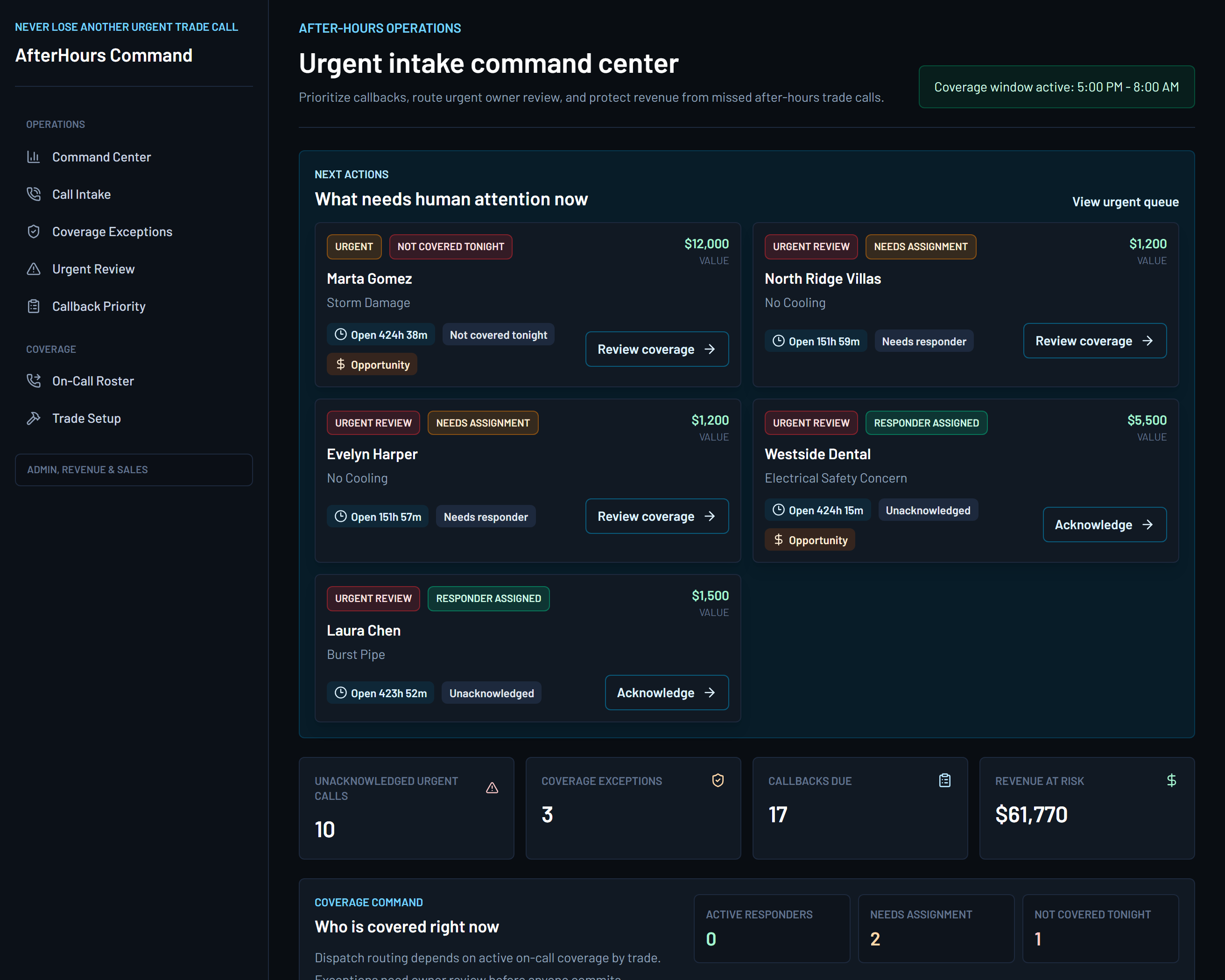
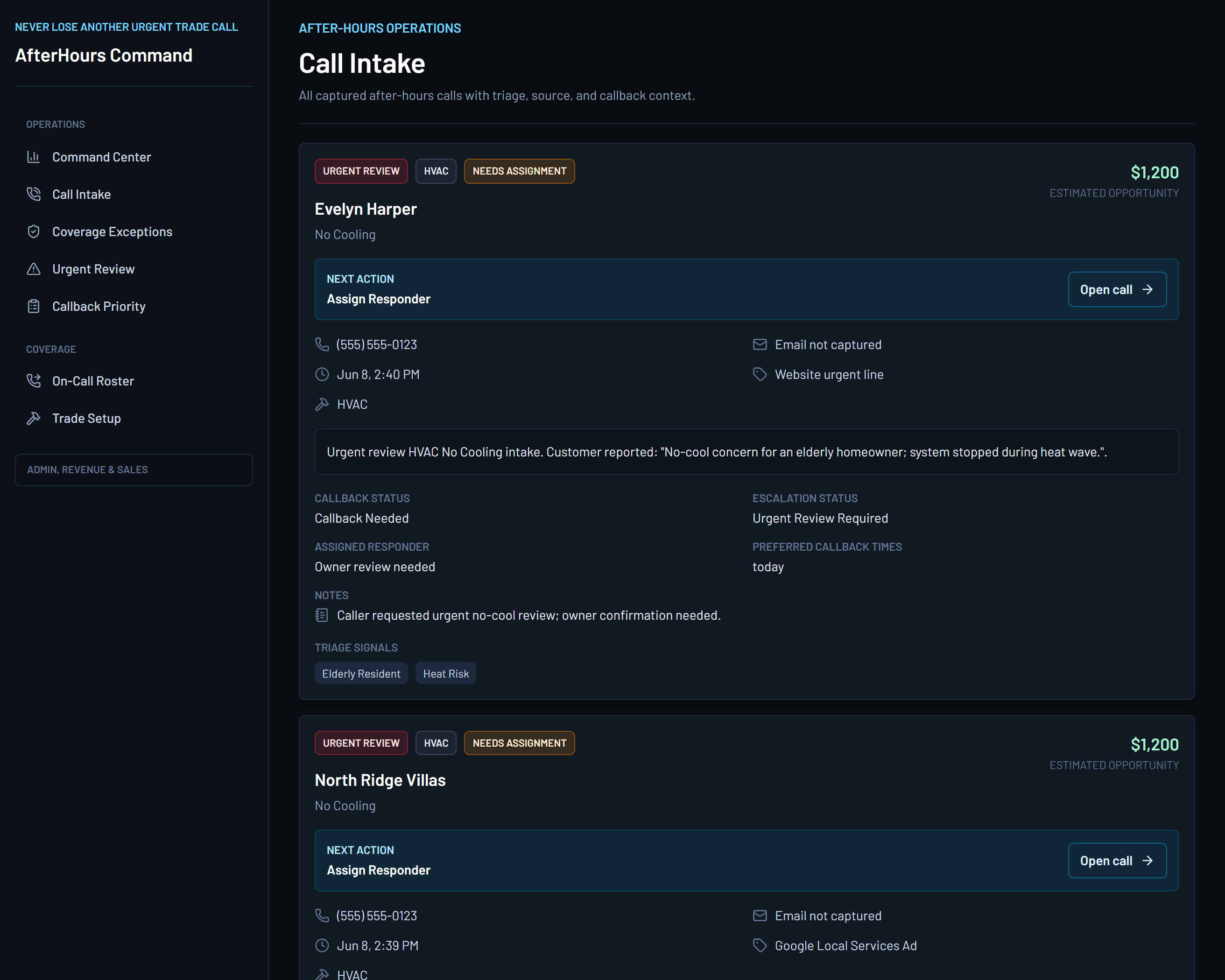
Product screens
See how an overnight call becomes an owner-reviewable record.
These are product captures from the HVAC after-hours operations app. Inspect the full screens, then use the proof panels to see how command visibility and call intake support human follow-up.
Sample proof packet
What an owner gets after the call.
These examples use synthetic data to show the deliverables behind Pro pricing: the packet, alert, morning board, daily summary, and revenue-at-risk view that make the command layer useful.
After-hours packet
Caller, issue, urgency, source, and next human action in one record.
Synthetic packet view: caller name, callback number, service address, no-cool issue summary, safety context, callback preference, source, and owner notes.
Urgent alert
SMS/email-ready alert for owner or dispatcher review.
Synthetic alert example: no-cool concern, who called, where service is needed, alert status, and a reminder that a human confirms the next action.
Morning board
Every overnight call lands in an owner-reviewable lane.
Urgent no-cool review, callback, coverage exception, commercial/replacement opportunity, or routine follow-up.
Daily summary
A morning digest that does not require voicemail archaeology.
Synthetic summary: total calls, urgent records, callbacks due, coverage gaps, top issue categories, and unresolved follow-up.
Revenue-at-risk report
Source and opportunity signals stay visible.
Synthetic report: lead source, replacement/commercial intent, estimated ticket context, and follow-up status without inflated revenue claims.